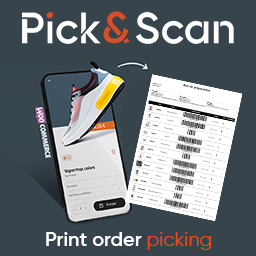
Pick&Scan Lite – WooCommerce Picking List PDF by Bin Location
Stop walking back and forth in your warehouse. Pick&Scan Lite prints a PDF pick list for each WooCommerce order, with products sorted by their storage location : Zone, Aisle, Location and Shelf. Your picker follows the list from top to bottom and never goes back to an aisle twice. Most pick list and
Stop walking back and forth in your warehouse. Pick&Scan Lite prints a PDF pick list for each WooCommerce order, with products sorted by their storage location : Zone, Aisle, Location and Shelf. Your picker follows the list from top to bottom and never goes back to an aisle twice.
Most pick list and packing slip plugins print products in the order the customer added them to the cart. Pick&Scan Lite prints them in the order your picker will find them on the shelves.
How it works
- 01Add the storage location (Zone, Aisle, Location, Shelf) to your products and variations. Four fields are added to the WooCommerce product page.
- 02Open Pick&Scan Lite → Picking List and generate the PDF of an order in one click.
- 03Your picker follows the list in route order and ticks each line in the validation column.
Features
- PDF pick list sorted by bin location (zone, aisle, location, shelf)
- Location fields on simple products and variations
- Product barcodes from the WooCommerce GTIN/EAN field, with or without text
- Product images to avoid picking the wrong item
- Validation column to tick prepared items
- Shipping and billing addresses
- Your company details in the document header
- Choose which order statuses are listed
- Tracks which orders already have a pick list generated
- Generate pick lists for several orders at once in a single PDF
- Works with any printer: print the PDF and hand it to your picker, or slip it in the parcel
Who is it for?
Small e-commerce stores, warehouses and shops that prepare WooCommerce orders on paper and want a faster, more reliable picking route without buying any hardware.
Want to go paperless?
When paper is no longer enough, Pick&Scan (the full version) replaces the printed list with an Android scanning app:


